
TM SIM Registration: Step-by-Step
TM SIM registration is required under the Philippine SIM Registration Act (Republic Act No. 11934). Follow this guide to register through Globe’s official channels.

Before You Start: Register Only on Official Channels
TM is a Globe brand, and TM users can register their SIM through Globe’s official SIM registration portal, the GlobeOne app, or a Globe store.
Free
Online registration is free and zero-rated
5 min
How long the six-digit OTP stays valid
3
Official ways to register your TM SIM
Beware of fake registration websites
For online registration, use only Globe’s official registration channels. Globe has specifically warned customers about fake SIM registration websites that may attempt to collect sensitive personal information.
How to Register a TM SIM
You can register your TM SIM through three official channels. For most users, the online portal or GlobeOne app is the most convenient option. If you need in-person assistance, you can visit a Globe store.
Most convenient
Globe’s online SIM registration portal
Enter your TM number, verify it with an OTP, upload your ID and finish the selfie check.
Also convenient
GlobeOne app
Sign in to GlobeOne and register your TM number from the app.
In-person help
Globe stores
Get face-to-face assistance if you cannot finish online.
Register Your TM SIM Through the Official Globe Portal
What to prepare
Before starting, prepare your TM mobile number, personal information, and a valid government-issued photo ID. Then follow these steps:
1
Open the official portal
Open the official Globe SIM registration portal at simreg.globe.com.ph.
2
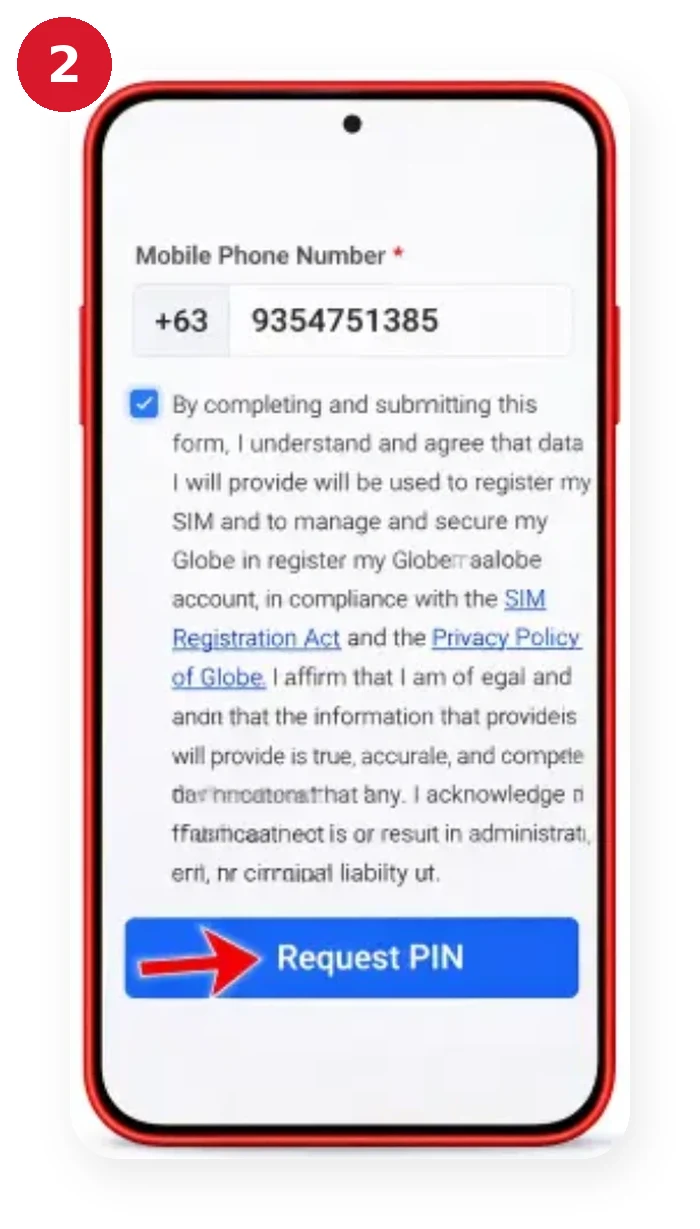
Enter your TM number
Enter your TM mobile number and select the registration option.
3
Wait for the OTP
Wait for the One-Time PIN (OTP) sent to your TM number.
4
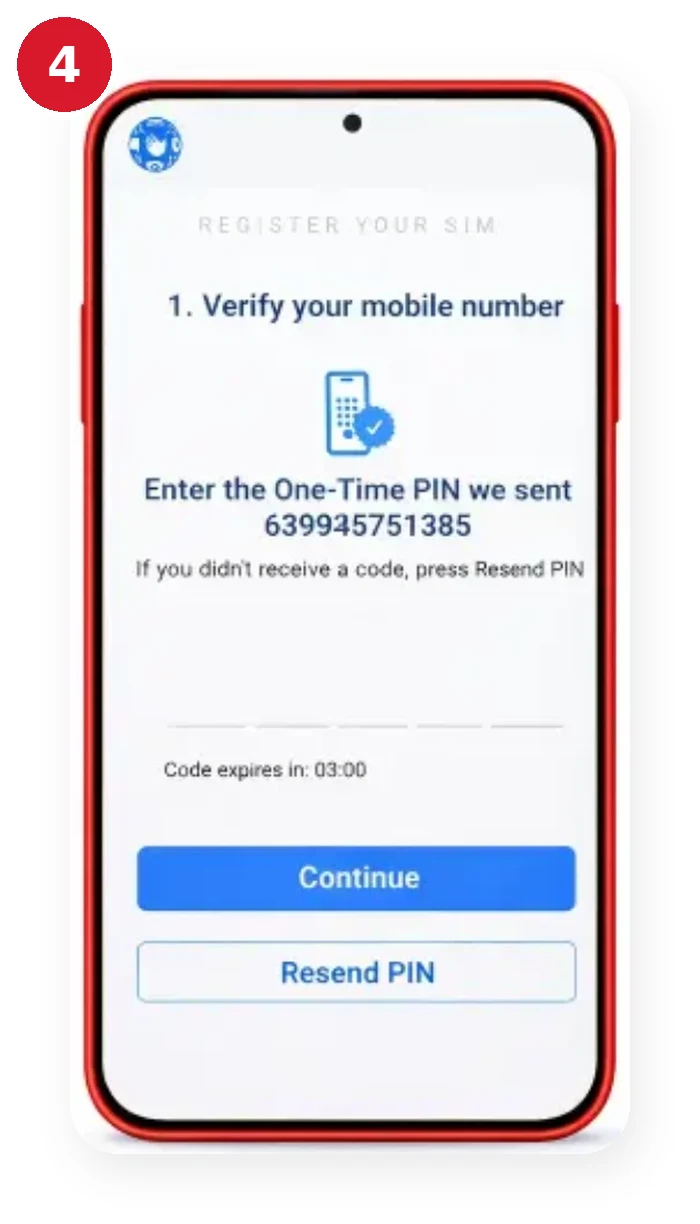
Verify with the OTP
Enter the OTP to verify your mobile number.
5
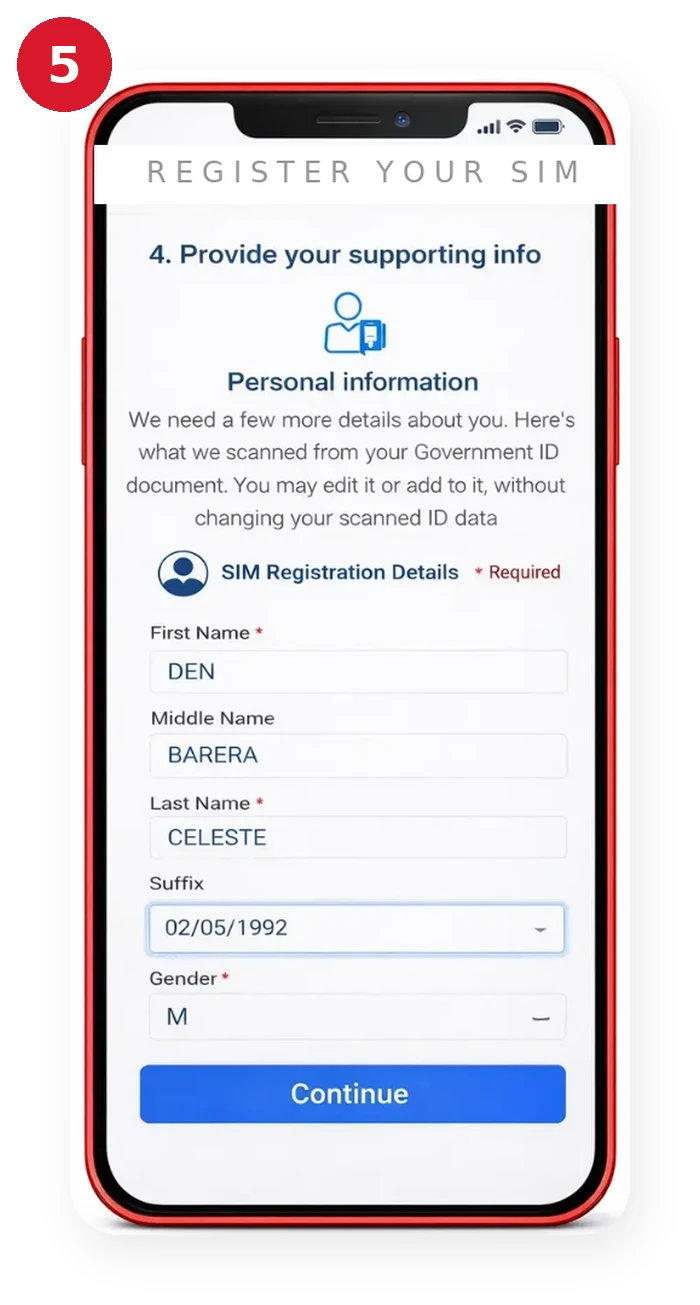
Fill in your personal details
Complete the required registration information, including your full name, date of birth, gender, address, and nationality.
6
Select an accepted ID
Select an accepted government-issued ID.
7
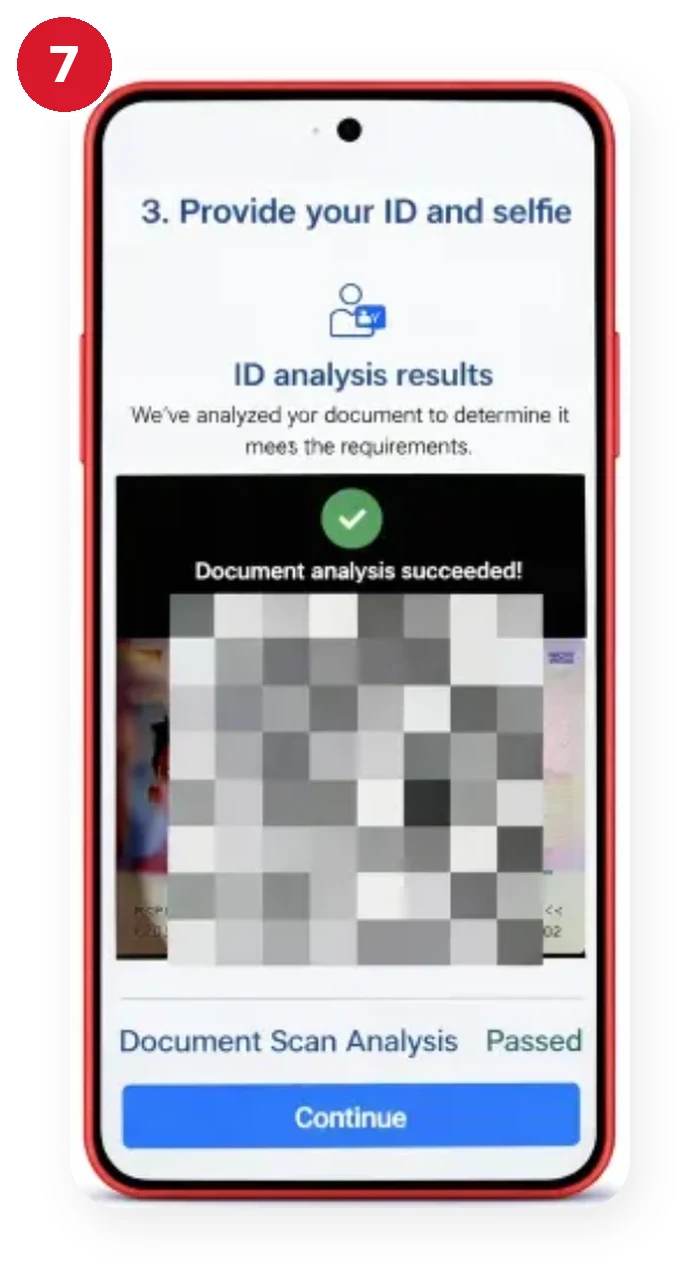
Upload your valid ID
Upload a clear copy of your valid ID as instructed on the registration page.
8
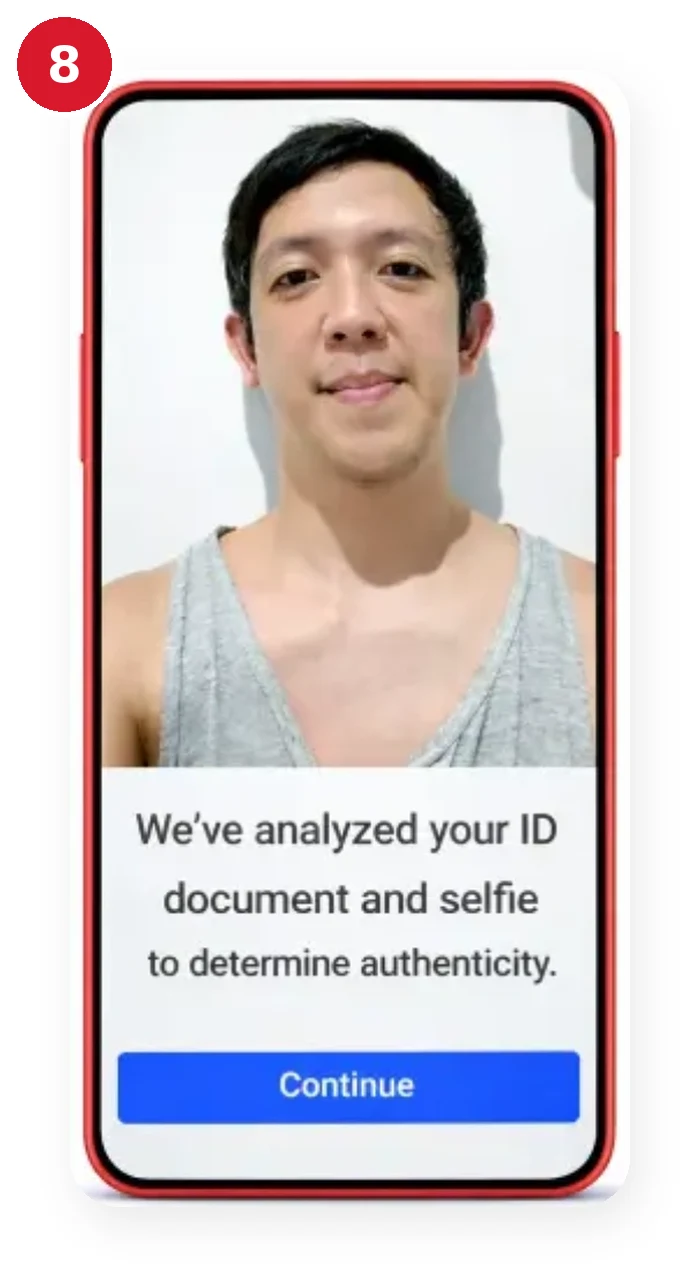
Complete the selfie check
Complete the required selfie or live-photo verification.
9
Review your information
Review all the information carefully.
10
Agree to the declarations
Agree to the required declarations and privacy terms.
11
Submit the form
Submit the registration form.
12
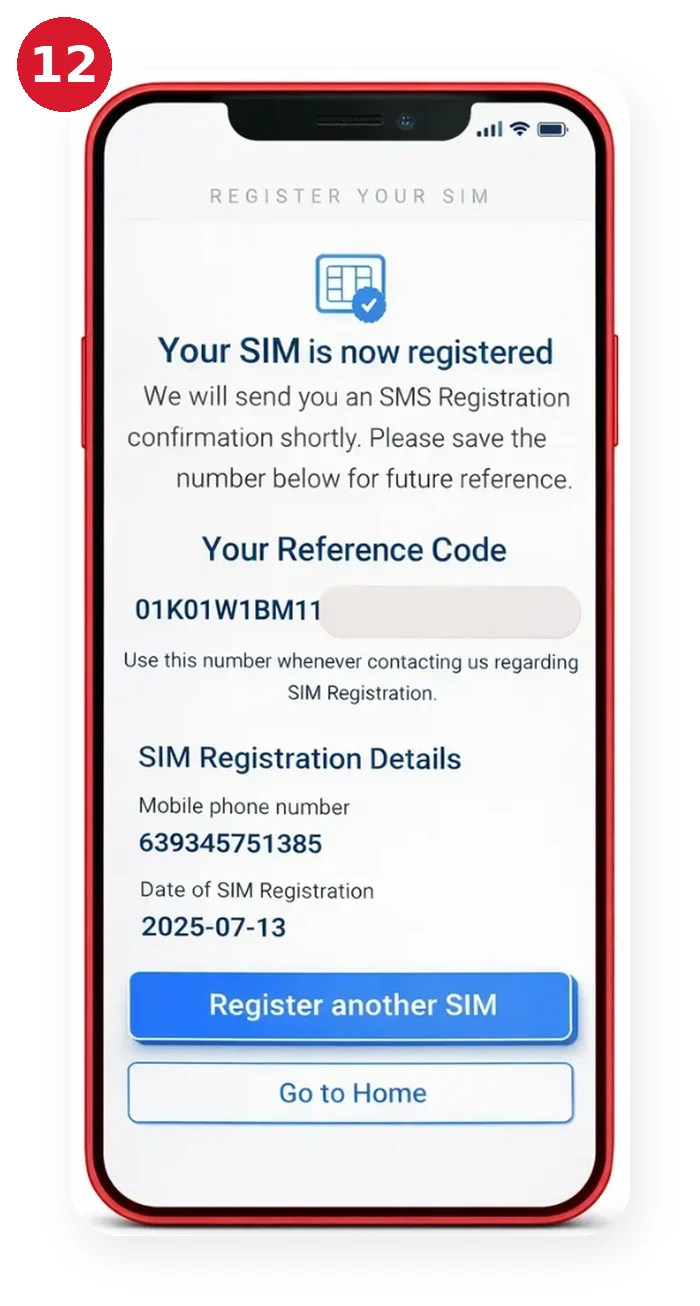
Save your reference number
Save the reference number displayed after successful registration. Globe states that the reference number should be kept for future reference. You should also keep the confirmation message you receive after successful registration.
How Long Does the TM Registration OTP Last?
Globe’s published registration instructions state that the six-digit OTP expires after five minutes. If you do not receive the OTP, first check that your TM SIM has a signal and use the Resend OTP option on the registration portal.

Register a TM SIM Through the GlobeOne App
TM customers can also use the GlobeOne app to register their SIM. Follow these steps:
- Download the GlobeOne app from an official app store.
- Open the app and sign in or create a GlobeOne account.
- Select the option to register your SIM.
- Select or enter the TM mobile number you want to register.
- Follow the verification instructions shown in the app.
- Provide the required personal information.
- Submit the required government-issued ID.
- Complete the required selfie or identity verification.
- Review your information carefully.
- Submit the registration.
- Save the confirmation or reference number for your records.
Always download GlobeOne from an official app store. Avoid APK files or third-party websites claiming to provide the GlobeOne app.
Register Your TM SIM at a Globe Store
If you cannot complete the online registration or prefer face-to-face assistance, you can visit a Globe store.

Bring:
- Your TM SIM or mobile number
- A valid government-issued photo ID
- Any additional information or documents requested by Globe
What to tell the staff
Tell the staff that you need assistance with TM SIM registration. The Globe representative can guide you through the registration process and help resolve registration-related issues.
TM SIM Registration Requirements
Globe currently lists the following information and documents for SIM registration:
- Full name
- Date of birth
- Gender
- Address
- Valid government-issued photo ID
- TM mobile number
- OTP sent to the mobile number
- Selfie or live-photo verification when required by the registration process
Match your ID
Your information should match your identification documents. Providing incorrect or false information can cause registration problems and may have legal consequences under the SIM Registration Act.
Acceptable IDs for TM SIM Registration
Globe’s current SIM registration information lists several accepted IDs, including:
- Philippine National ID
- Passport
- Driver’s License
- BIR ID or TIN ID
- UMID Card
- PhilPost Postal ID
- SSS ID
- PRC ID
- PhilHealth ID
- Philippine Identification Card (ePhil ID)
Globe notes that the ID must be valid and not expired. Some ID types or versions may have specific acceptance requirements, so follow the options and instructions displayed on the official registration portal.
If the system rejects your ID, check that the document is valid, readable, and matches the personal information you entered.
How to Check TM SIM Registration Status
After completing TM SIM registration, you can confirm your registration in several ways.
Check Through Confirmation SMS
Globe sends a confirmation message after successful SIM registration.
Keep this message for your records.
Check Through GlobeOne
You can also check your registration status through the GlobeOne app.
After signing in, look for the registered status or badge associated with your mobile number.
What If I Did Not Receive a Confirmation SMS?
If you completed registration but did not receive the confirmation message, check your registration status through the available Globe registration channels.
If you still cannot confirm the status, contact Globe through its official support channels or visit a Globe store.
TM SIM Registration: Quick Answers
Can I Register More Than One TM SIM?
Yes. You can register multiple SIMs, but each SIM must be registered individually under the appropriate user’s name.
If you have several TM SIM cards, repeat the registration process for each mobile number. Do not assume that registering one TM number automatically registers your other SIM cards.
Is TM SIM Registration Free?
Yes. Globe states that online SIM registration is free and zero-rated.
You should not pay a third-party website or individual to complete the official online registration process. Be particularly careful with websites that request payment or ask you to provide personal information outside Globe’s official registration channels.
How to Update TM SIM Registration Details
If information connected to your SIM registration changes, Globe provides an option to update registration details. Examples include:
- Change of residential address
- Change of last name
- Updated valid government ID
- Other changes to information supplied during registration
Globe states that customers can update their SIM registration information through its online registration platform. If you need to update your information, follow the current instructions provided by Globe through its official registration channels. If you cannot complete the update online, visit a Globe store for assistance.
What Happens If a New TM SIM Is Not Registered?
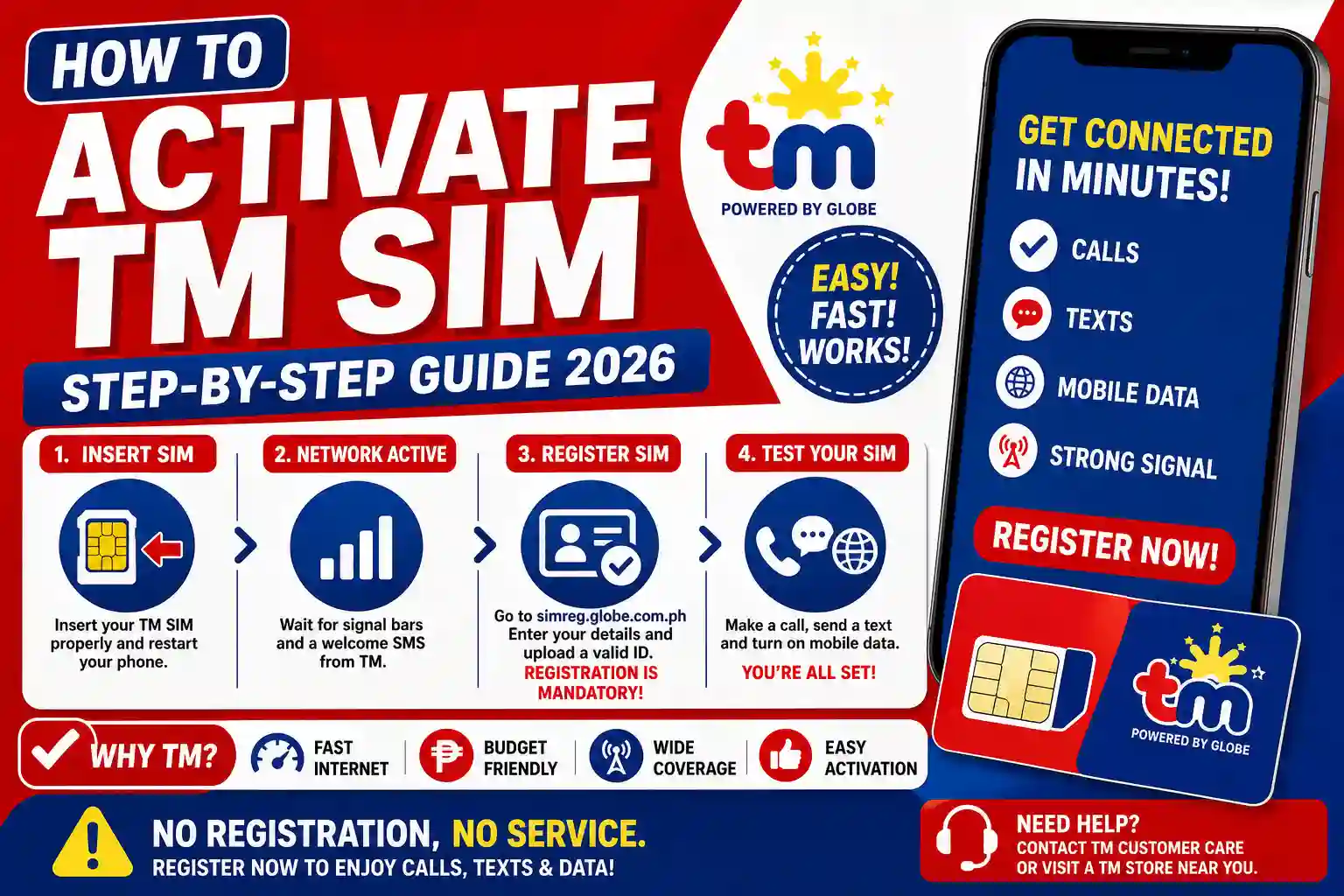
New SIM cards are initially deactivated and must be registered before they can be activated for normal mobile services.
Globe states that a new SIM can be registered immediately after purchase. If you do not need to use it immediately, you should register it before the expiry date shown on the SIM packaging. For new users, SIM registration is therefore part of the activation process rather than an optional step.
Common TM SIM Registration Problems
Some users may encounter problems during registration. The most common issues involve OTP verification, ID matching, connectivity, or an already-registered number.
OTP Not Received
If you do not receive the OTP:
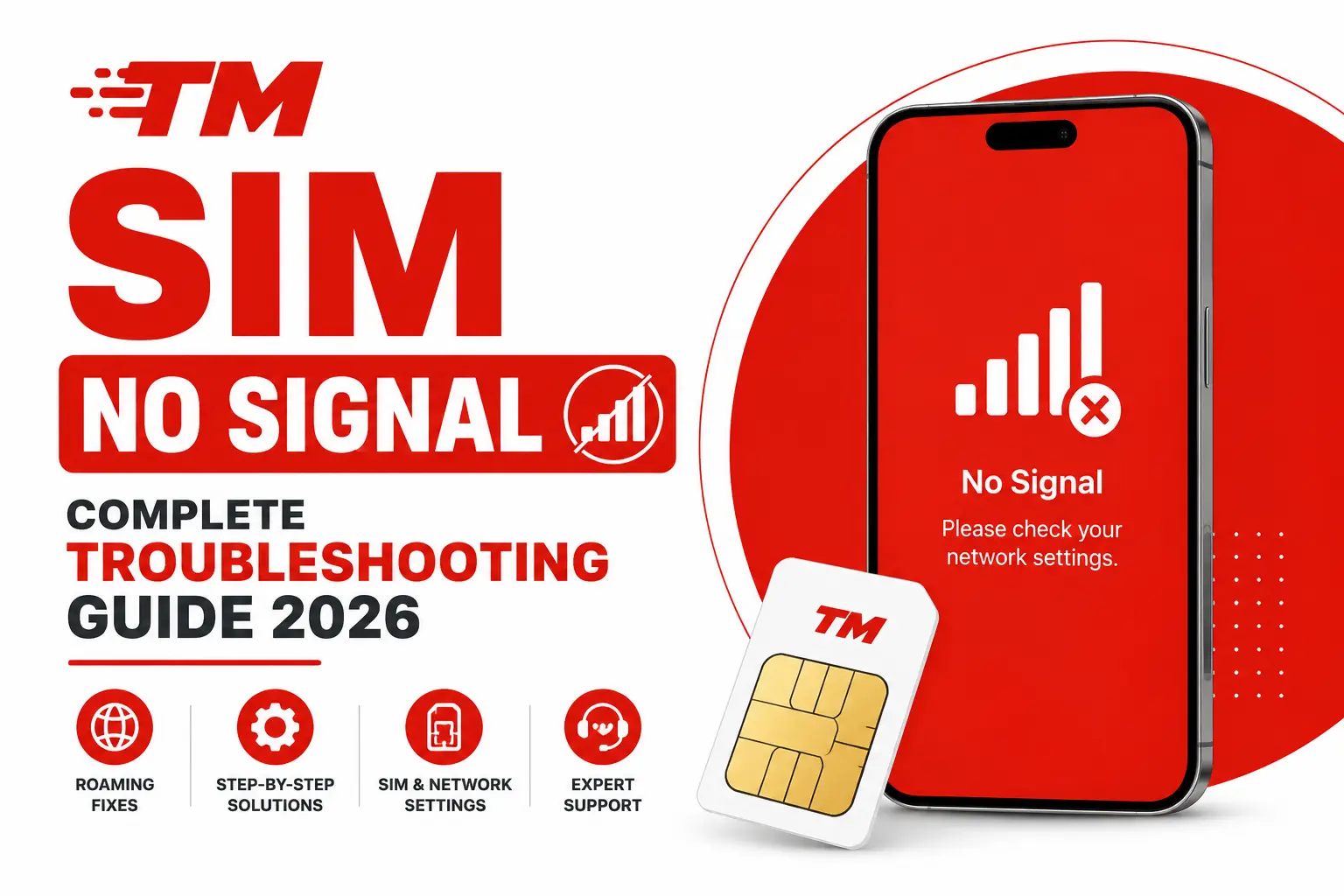
- Check whether your TM SIM has a mobile signal.
- Confirm that you entered the correct mobile number.
- Wait briefly and select Resend OTP.
- Try again when your network connection is stable.
Globe specifically recommends checking the SIM signal and using the Resend OTP option.
ID Does Not Match the Information Entered
If the system says that your details and ID do not match:
- Check your name carefully.
- Check your date of birth.
- Confirm that your other personal information is correct.
- Make sure the ID is valid and readable.
- Upload the ID according to the instructions on the registration page.
- Try again with accurate information.
Do not change your personal information simply to make an ID pass verification. The information should be accurate and correspond with your official documents.
SIM Already Registered
If the portal says your TM number has already been registered but you believe this is incorrect, contact Globe through its official support channels or visit a Globe store.
Globe advises customers with this issue to contact its support team or seek assistance at a Globe store.
Registration Page Is Not Working
If the registration page does not load:
- Check your internet connection.
- Confirm that you are using Globe’s official registration website.
- Refresh the page.
- Try again later if the service is temporarily unavailable.
- Contact Globe if the problem continues.
Avoid using third-party websites that claim to provide an alternative TM registration portal.
How to Keep Your TM SIM Registration Safe
SIM registration requires sensitive personal information, including identification documents. For this reason, choosing the correct registration website is important.
Globe has warned customers about fake SIM registration links that may lead to websites designed to collect sensitive information. For safer registration:
- Use Globe’s official SIM registration website.
- Use the official GlobeOne app.
- Download GlobeOne only from an official app store.
- Do not submit your ID to an unknown website.
- Do not share your OTP with another person.
- Do not provide your personal information through suspicious links.
- Keep your registration reference number for future reference.
If a website claims to be an official TM registration portal but is hosted on an unrelated domain, verify it through Globe’s official website before entering any personal information.

TM SIM Registration Customer Support
If you experience a registration problem that you cannot resolve online, Globe recommends contacting its official support channels or visiting a Globe store. You can seek assistance for issues such as:
- SIM already registered
- Registration status problems
- Failed verification
- Incorrect registration information
- Lost or stolen registered SIM
- SIM activation problems
- Other SIM-related concerns
For the latest contact methods and support options, use Globe’s official Help & Support pages. You can also reach Globe through its official Facebook Messenger page or visit your nearest Globe store. Contact details change, so avoid relying on phone numbers published on unverified websites.
Frequently Asked Questions
How do I register my TM SIM online?
Open Globe’s official SIM registration portal, enter your TM mobile number, verify it using the OTP, provide the required personal information, submit a valid government-issued ID, complete the required identity verification, and submit the registration form.
Is TM SIM registration free?
Yes. Globe states that online SIM registration is free and zero-rated.
Can I register multiple TM SIM cards?
Yes. Multiple SIMs can be registered, but each SIM must be registered individually.
What ID can I use for TM SIM registration?
Accepted IDs include documents such as the Philippine National ID, passport, driver’s license, BIR/TIN ID, UMID, SSS ID, PRC ID, PhilHealth ID, and other IDs listed by Globe.
How do I know if my TM SIM is registered?
You can check the confirmation SMS sent after successful registration or look for the registered status in the GlobeOne app. If you still cannot confirm your status, use Globe’s official registration portal or contact Globe support.
What should I do if I don’t receive the TM SIM registration OTP?
Make sure your TM SIM has a signal and then use the Resend OTP option on the registration portal.
Can I register my TM SIM at a Globe store?
Yes. Globe stores provide registration assistance for customers who need in-person help.
Can I update my TM SIM registration details?
Yes. Globe provides an option for customers to update certain registration information. You should keep your registered information accurate and up to date.
Do I need to register every TM SIM I own?
Yes. Each SIM must be registered individually.
Is TM the same as Globe?
TM is a mobile brand under Globe, but TM and Globe are separate brands. TM customers use Globe’s SIM registration channels for TM SIM registration.
Conclusion
TM SIM registration is required for using a new TM SIM under the Philippines’ SIM Registration Act. TM customers can register through Globe’s official online registration portal, the GlobeOne app, or with assistance at a Globe store.
Before starting, prepare your TM mobile number, personal information, and a valid government-issued photo ID. Complete the OTP verification, provide the required details, follow the identity verification instructions, and save your registration reference number after successful submission.
If you encounter an OTP, ID, registration-status, or other SIM-related problem, use Globe’s official support channels or visit a Globe store.
Register on official channels only
Use only Globe’s official registration channels and avoid third-party websites requesting your personal information or identification documents.
This is an independent guide and is not affiliated with Globe Telecom. Read our disclaimer.